2026 AI Dev Log: Balancing Power, Pricing, and Productivity in Development Workflow - Part 1
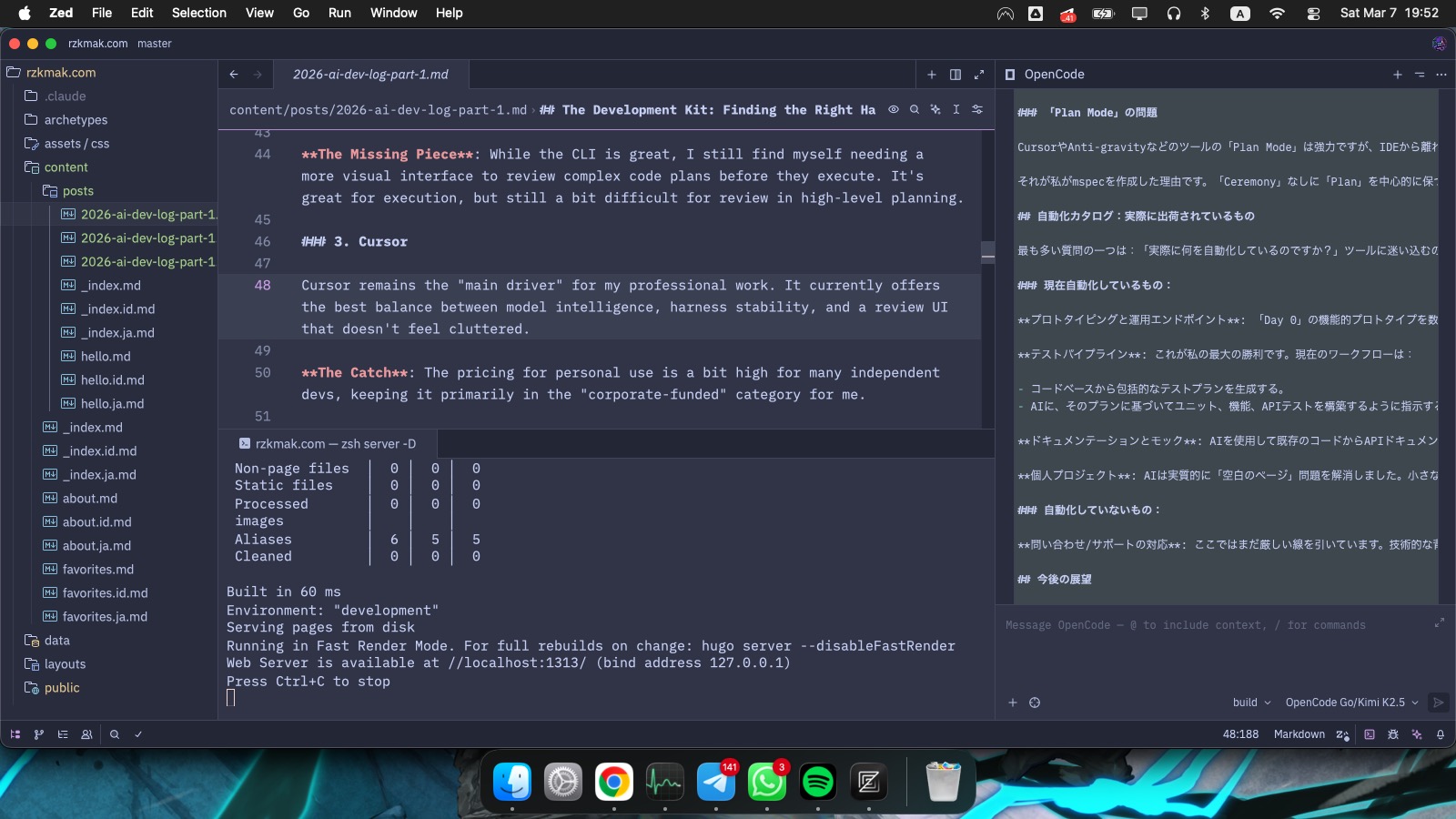
Current Personal Setup 2026/03
As we wrap up the first quarter of 2026, the landscape of AI development has shifted from “experimental” to “mission-critical.” We aren’t just chatting with LLMs anymore; we are orchestrating agentic workflows. Over the last three months, I’ve been deep-diving into the latest frontier models and the tools that harness them, testing everything from corporate-grade deployments to scrappy personal projects.
Here is a breakdown of what I’ve learned about the AI development flow in this fast-moving era.
#
The State of Models: Q1 2026
The “Frontier” bar has been raised significantly. We’ve moved beyond the old benchmarks into models that prioritize long-range reasoning and agentic autonomy.
Claude 4.6 (Sonnet & Opus): Anthropic’s latest is arguably the gold standard for coding. Sonnet 4.6 is my daily driver for speed, while Opus 4.6 handles the heavy architectural lifting.
GPT-5.3 Codex: OpenAI’s specialized coding model is incredibly balanced. It feels less like a chat interface and more like a logic engine designed specifically for deep refactoring.
Kimi K2.5 and GLM 5 have become vital in my rotation, especially for massive context handling while preserving my wallet lol.
I’ve had the chance to work with several models, both in corporate environments and my own personal labs. The gap between “personal” and “professional” use usually comes down to one thing: Pricing 😂
#
The Development Kit: Finding the Right Harness
A model is only as good as the interface you use to talk to it. Here’s my take on the tools I’ve used in this quarter.
##
1. Claude Code
This has become a favourite for advanced CLI-based workflows.
On professional setups, I’ve been running this via Amazon Bedrock.
The Personal Hurdle: Bedrock is great, but the billing can be steep for solo projects. On a standard $20/month Pro subscription, the token limits feel very restrictive for heavy dev sessions.
The Solution: To solve the model-lock and token issues, I ended up building claude-switch. It’s a small tool that lets me swap models (like GLM) while keeping the CLI experience, though I’ve found that non-Claude models sometimes struggle with the specific agentic hooks of the Claude Code environment.
##
2. OpenCode
I use OpenCode both via OpenRouter primarily for model-hopping and the OpenCode Go subscription.
The “Go” Subscription: For personal use, I’ve been relying on the OpenCode Go subscription. At $10/month, it’s a total game-changer, providing reliable access to three powerhouse frontier models: GLM-5, Kimi K2.5, and Minimax M2.5 with a very competitive price.
The Missing Piece: While the CLI is great, I still find myself needing a more visual interface to review complex code plans before they execute. It’s great for execution, but still a bit difficult for review in high-level planning.
##
3. Cursor
Cursor remains the “main driver” for my professional work. It currently offers the best balance between model intelligence, harness stability, and a review UI that doesn’t feel cluttered.
The Catch: The pricing for personal use is a bit high for many independent devs, keeping it primarily in the “corporate-funded” category for me.
##
4. Anti-gravity
I had high hopes for Anti-gravity. In the early days of 2026, the feedback loop was unbeatable–it truly felt like the first “agent-native” IDE.
The Current Vibe: Nowadays, it’s getting harder to use. The token consumption is aggressive, and even Sonnet hits limits quickly. It can be a bit buggy, but the loop is still top-tier. I’m really hoping for a “Bring Your Own Key” (BYOK) update or better optimization soon.
##
5. Zed (The New Favorite)
As of early March, Zed has taken the lead for my personal work. It is incredibly snappy and lightweight. Integrating it with the OpenCode CLI gives me a very modern, fast setup.
The Trade-off: The extension ecosystem is still growing. If you’re used to the massive libraries of IntelliJ or VS Code, it can feel a bit sparse, but the performance gains usually make up for it.
#
Spec-Driven Development (SDD): Beyond “Vibe Coding”
We’ve moved past the “vibe coding” phase. Reliability now requires a plan.
I started this year experimenting with GitHub’s Spec Kit. The results were technically solid, but for a solo developer, the “ceremony” was a bit overwhelming. It produces a high volume of documentation and checklists–/specify, /plan, /tasks–which is fantastic for team alignment but caused my personal tokens to deplete much faster than expected.
I’ve been searching for a better balance between reliability and ease of use. My main focus for SDD isn’t corporate compliance; it’s about creating a repeatable, lightweight harness for prototyping and simulating new technologies without the heavy overhead.
##
The “Plan Mode” Problem
“Plan Mode” in tools like Cursor and Anti-gravity is powerful, but I found it difficult to track tasks once I stepped outside the IDE. I needed a way to keep a simple, persistent plan that any model could follow without a massive overhead.
That led me to create mspec. It’s a lightweight tooling approach designed to keep the “Plan” central without the “Ceremony.” It’s still early, but it’s making my personal prototyping much more predictable.
#
The Automation Catalog: What’s Actually Shipping
One of the biggest questions I get is: “What are you actually automating?” It’s easy to get lost in the tools, but here is the practical work I’ve offloaded to AI in Q1 2026.
##
What I’m Automating Today:
Prototyping & Operational Endpoints: I can spin up a “Day 0” functional prototype in minutes. This includes setting up operational endpoints that actually handle logic, not just dummy data.
The Testing Pipeline: This has been my biggest win. My workflow is now:
- Generate a comprehensive Test Plan from the codebase.
- Prompt the AI to build the unit, functional, and API tests based specifically on that plan.
Documentation & Mocks: I use AI to generate API documentation from existing code and build out “Mock Systems.” This is perfect for simulating edge cases for various scenario.
Pet Projects: AI has effectively removed the “blank page” problem. Whether it’s a small utility or a complex personal project, the speed of execution is x times what it was last year.
##
What I’m NOT Automating:
Handling Inquiry/Support: I still draw a hard line here. The chance of hallucination is too dangerous when answering people who don’t have the technical background to spot errors. If an AI “confidently” gives wrong advice to a user, the reputational cost far outweighs the efficiency gain.
#
Looking Ahead
The first three months of 2026 have shown that the future of dev isn’t just about who has the biggest model–it’s about who has the most efficient workflow. I’ll be revisiting this in another three months to see how these tools (and my own) have evolved.
Until then, happy coding (and prompting)!